Activate Your Five9 Account
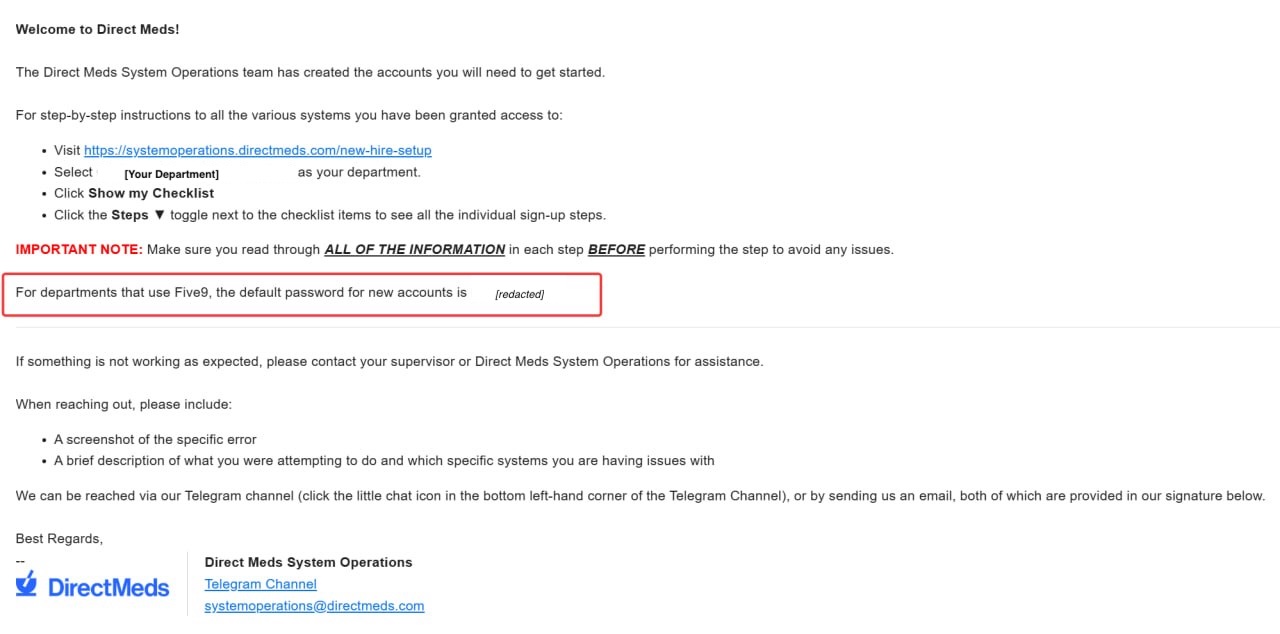
Your Five9 username and temporary password are in the Five9 section of your welcome email. If you did not get one, ask your manager.
-
1Find your Five9 username and temporary password in the Five9 section of your welcome email from Direct Meds Operations.
 📷 Screenshot unavailable
 -
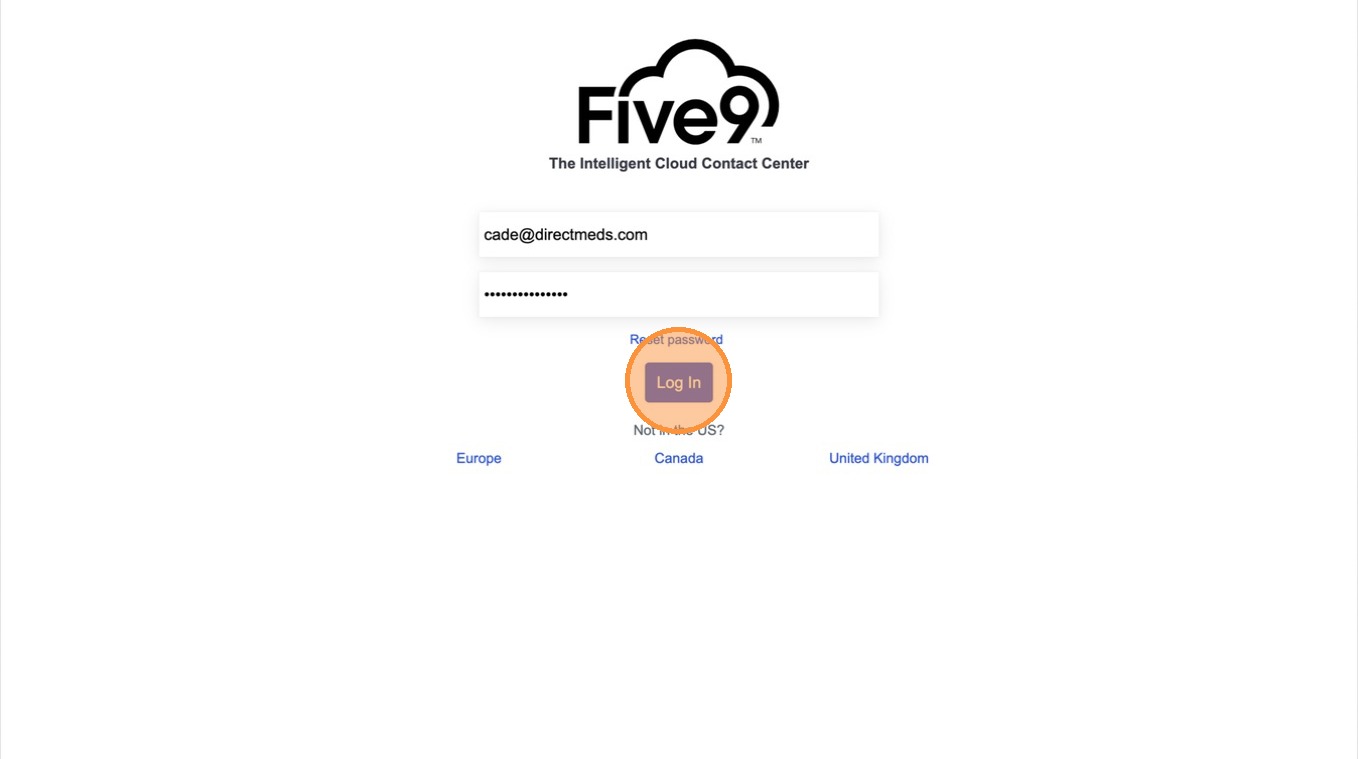
2Go to login.five9.com and sign in with those credentials.
 📷 Screenshot unavailable
 -
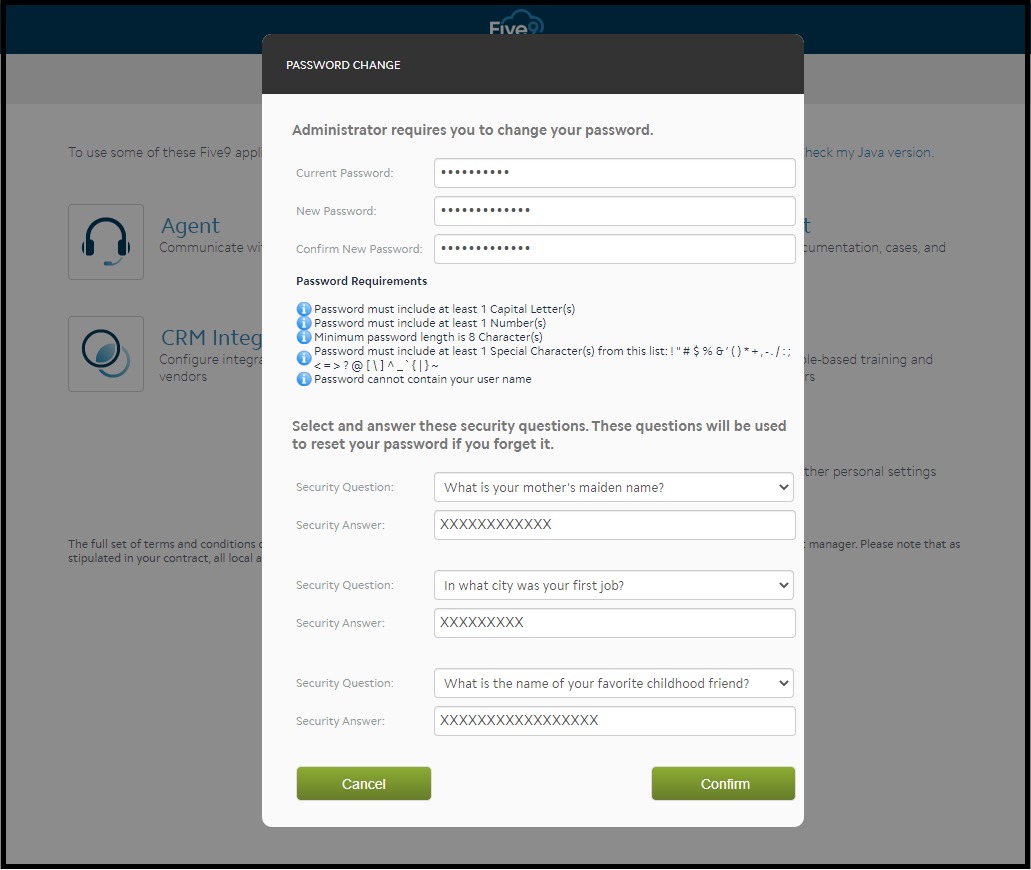
3On first login you will be asked to change your password and set security questions. Follow the prompts to finish.
 📷 Screenshot unavailable