Set Up Your Direct Meds Google Account
If you do not finish 2-factor setup, Google will lock the account after 7 days. Install Google Authenticator first.
-
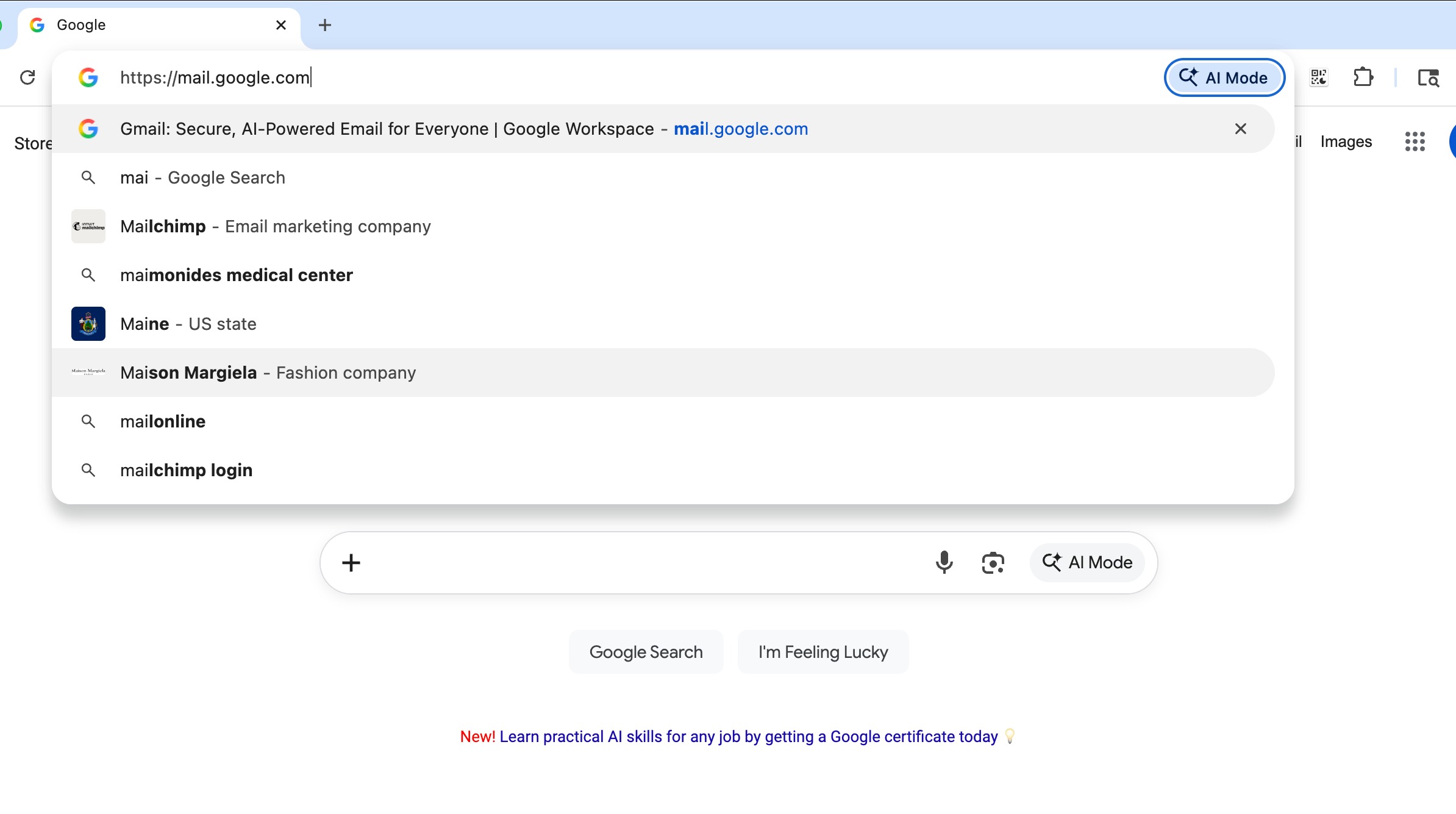
1In Chrome, go to mail.google.com.
 📷 Screenshot unavailable
 -
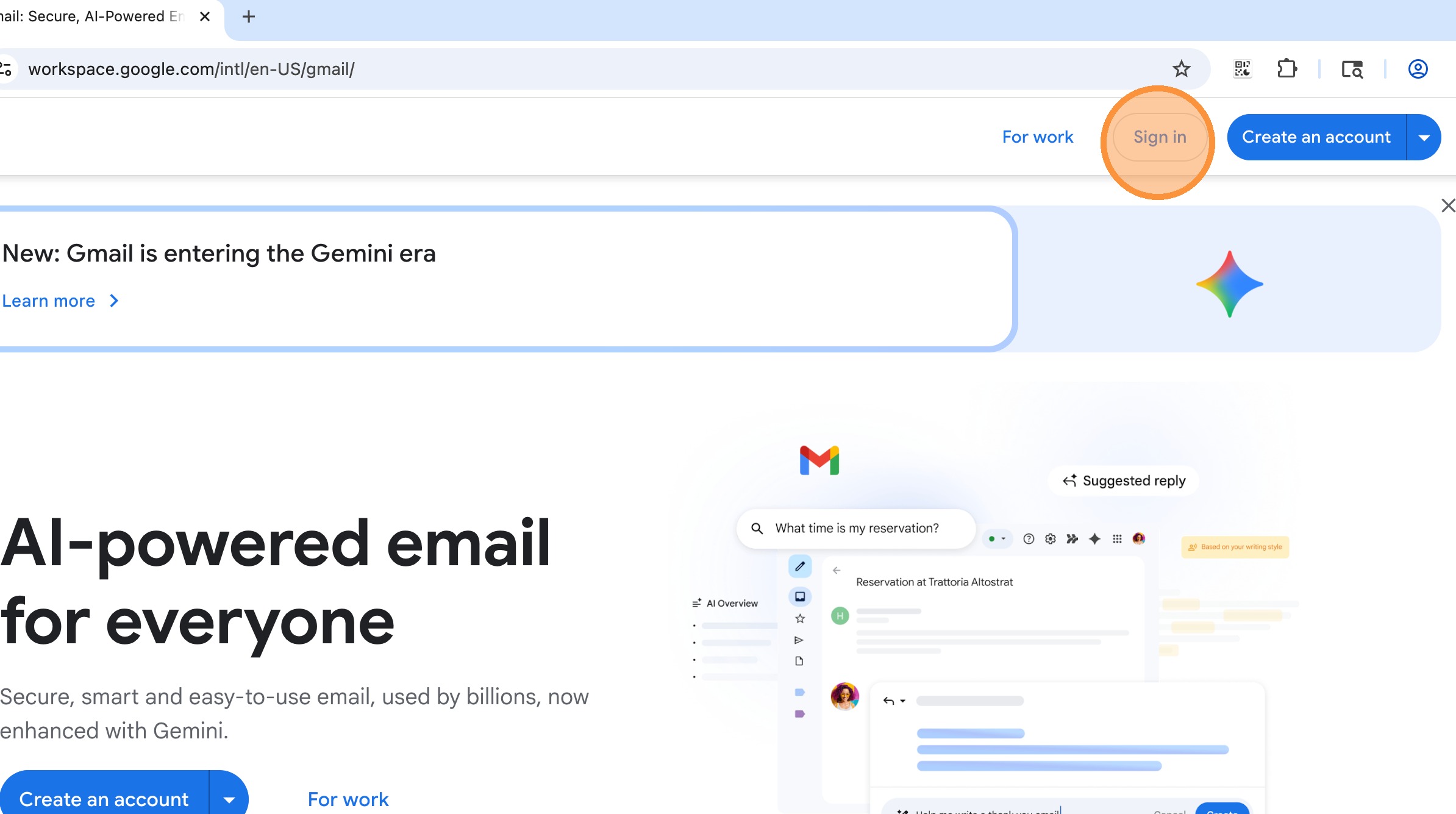
2Click Sign in.
 📷 Screenshot unavailable
 -
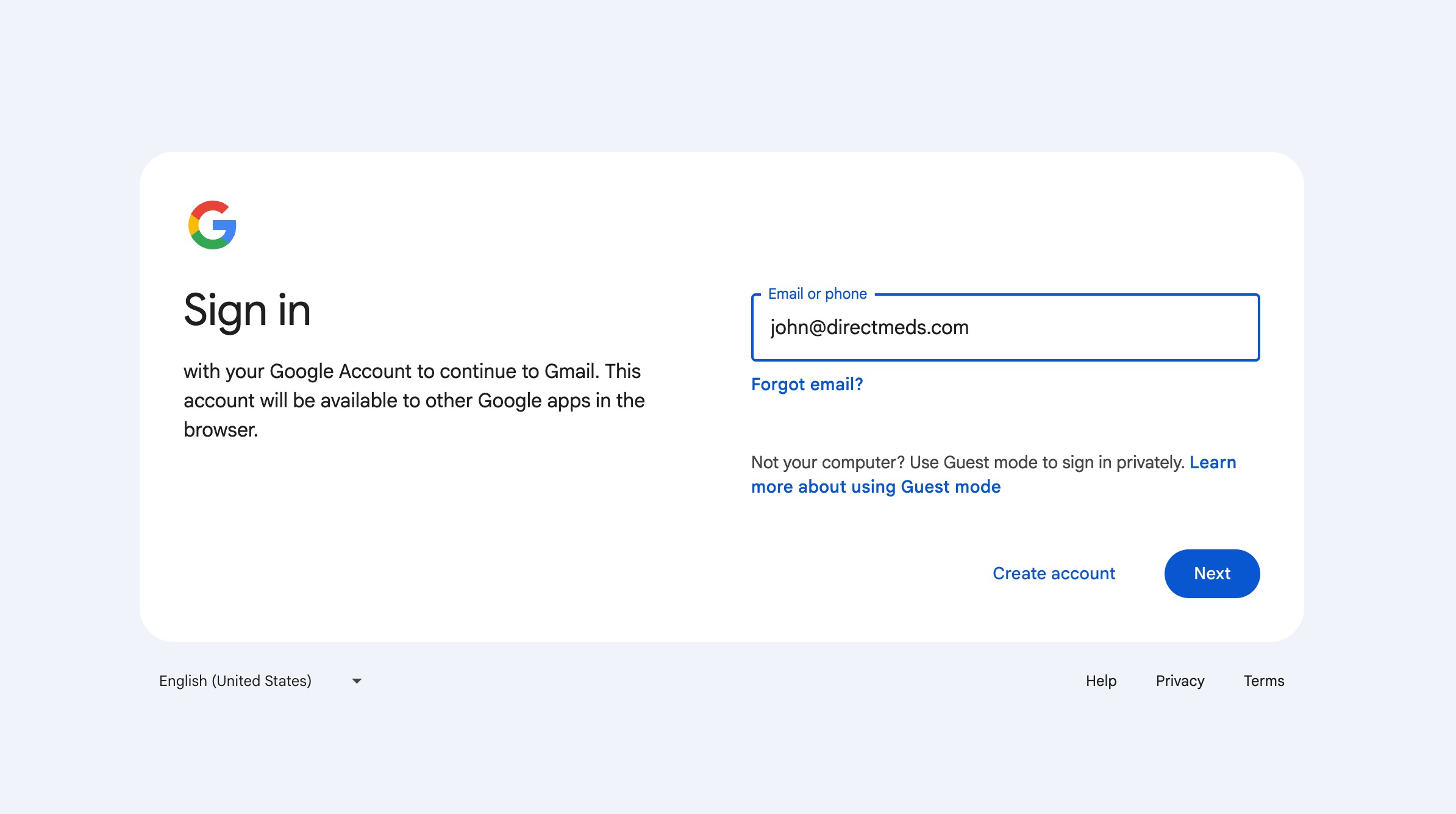
3Enter your Direct Meds email (usually firstname@directmeds.com or firstname.lastname@directmeds.com — confirm with your manager if unsure), then click Next.
 📷 Screenshot unavailable
 -
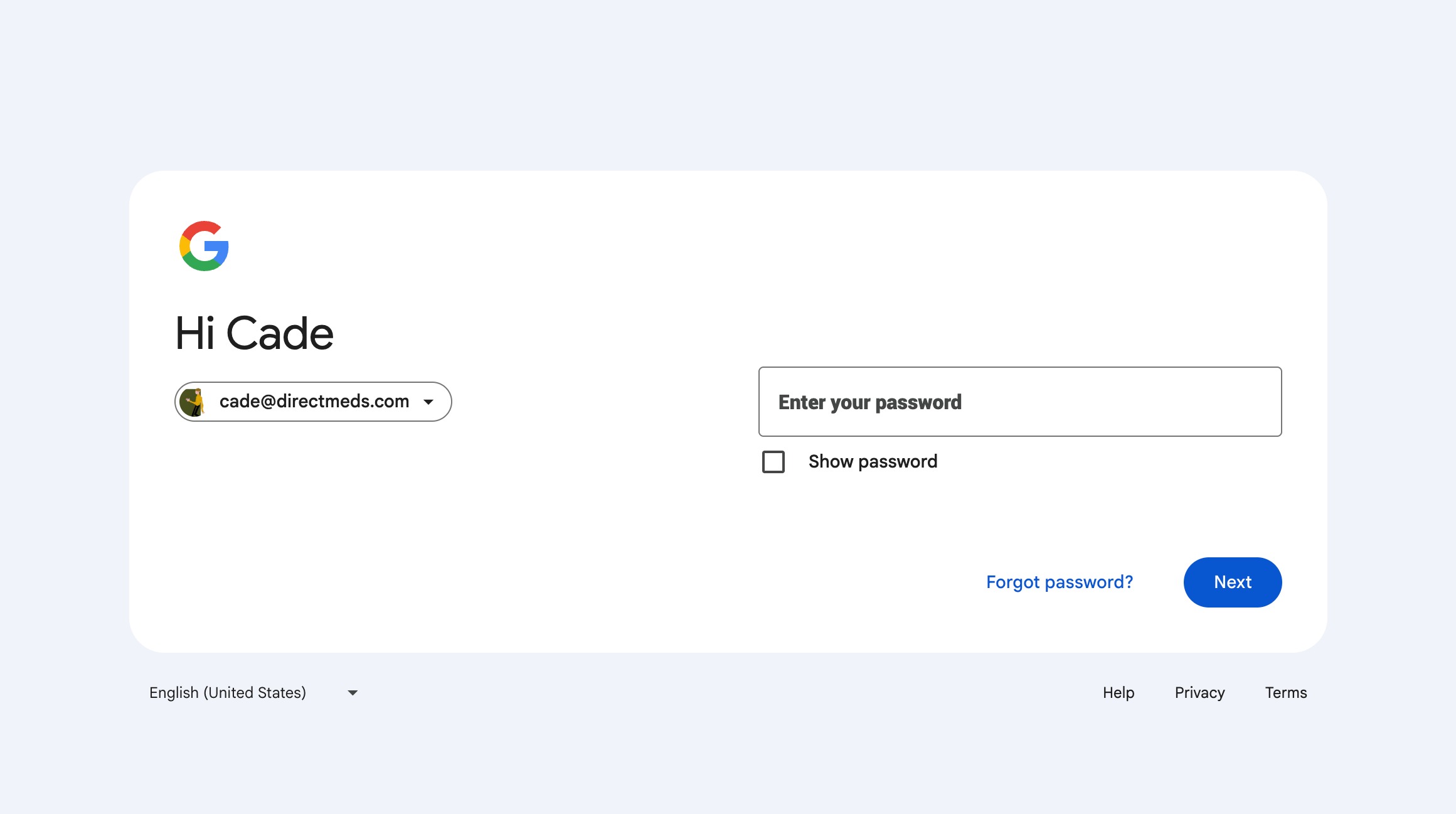
4Enter the temporary password from your welcome email.
 📷 Screenshot unavailable
 -
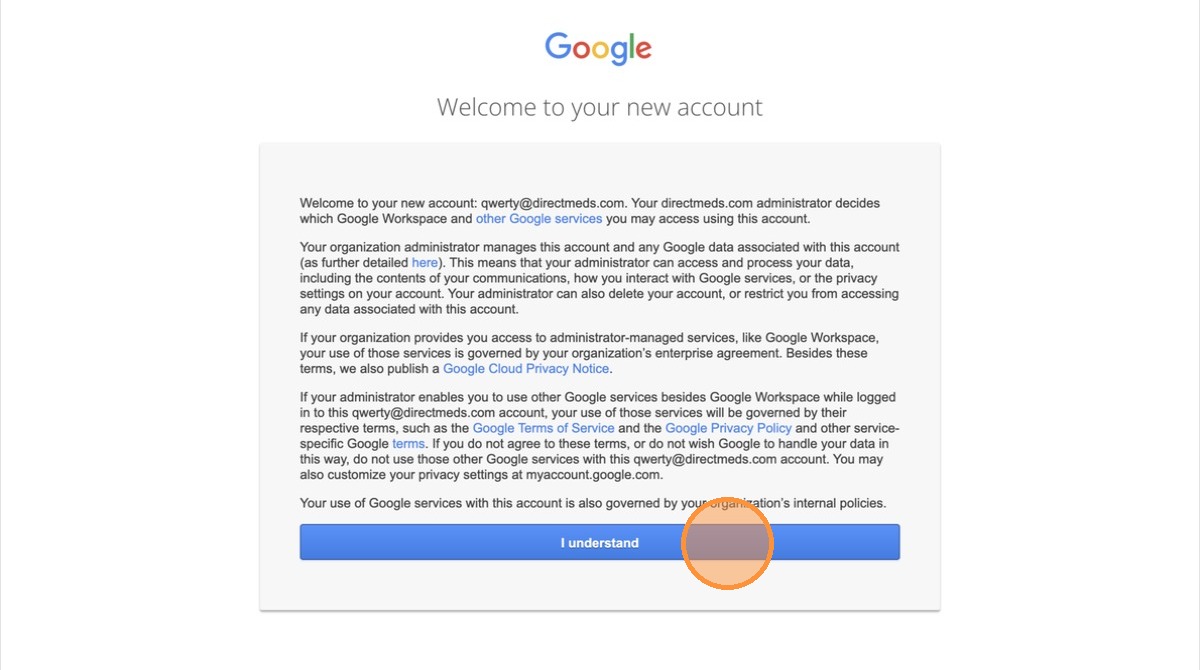
5Click I Understand to accept the terms.
 📷 Screenshot unavailable
 -
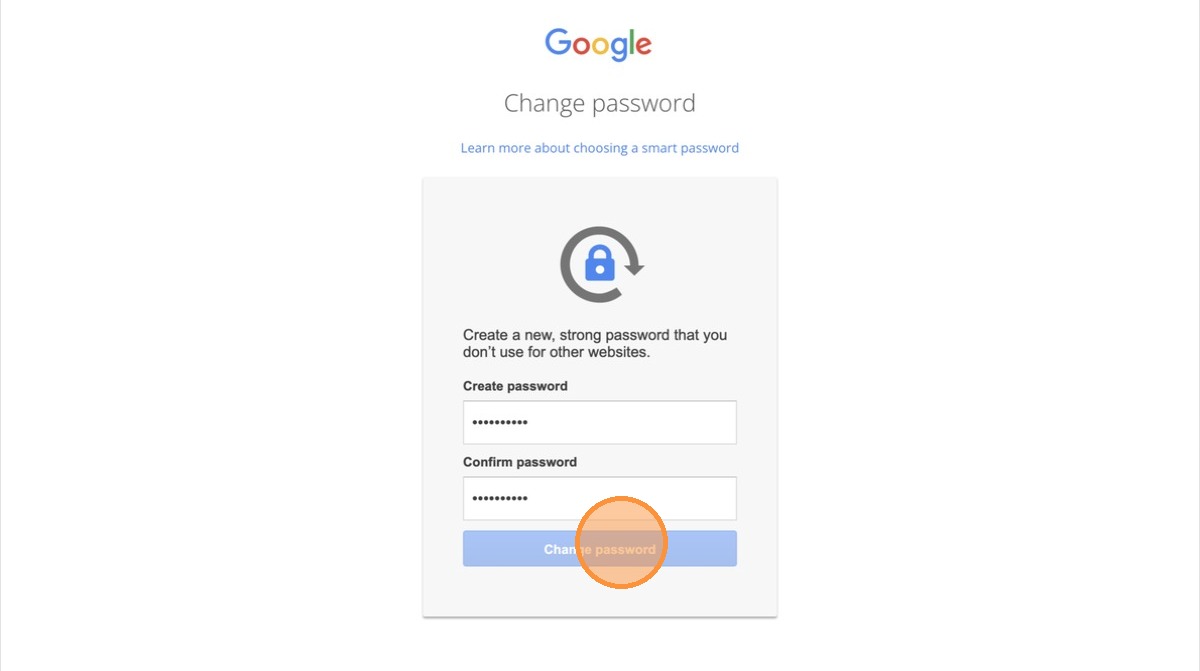
6Set a new password when prompted.
 📷 Screenshot unavailable
 -
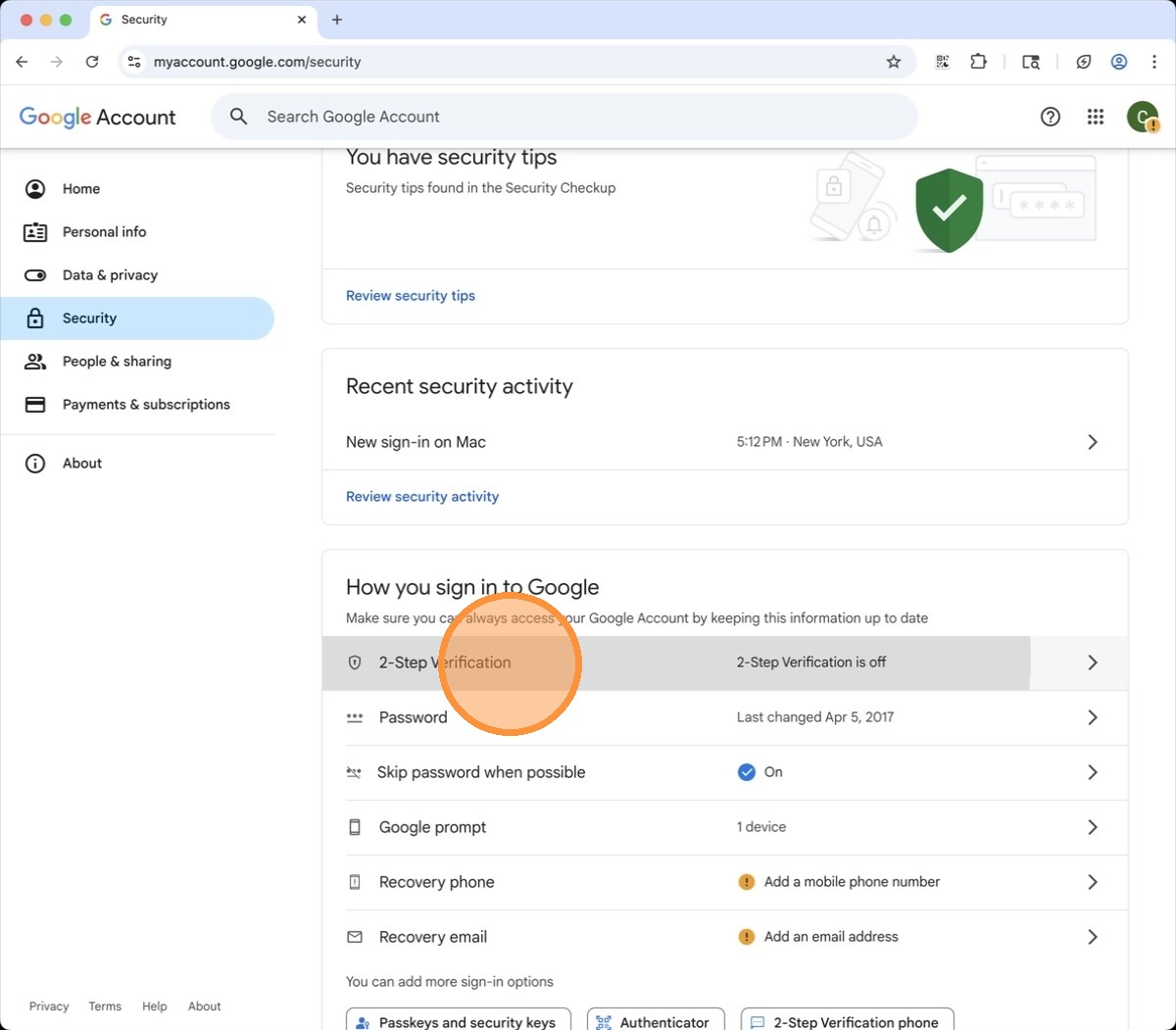
7Select 2-Step Verification.
 📷 Screenshot unavailable
 -
8Select Authenticator.
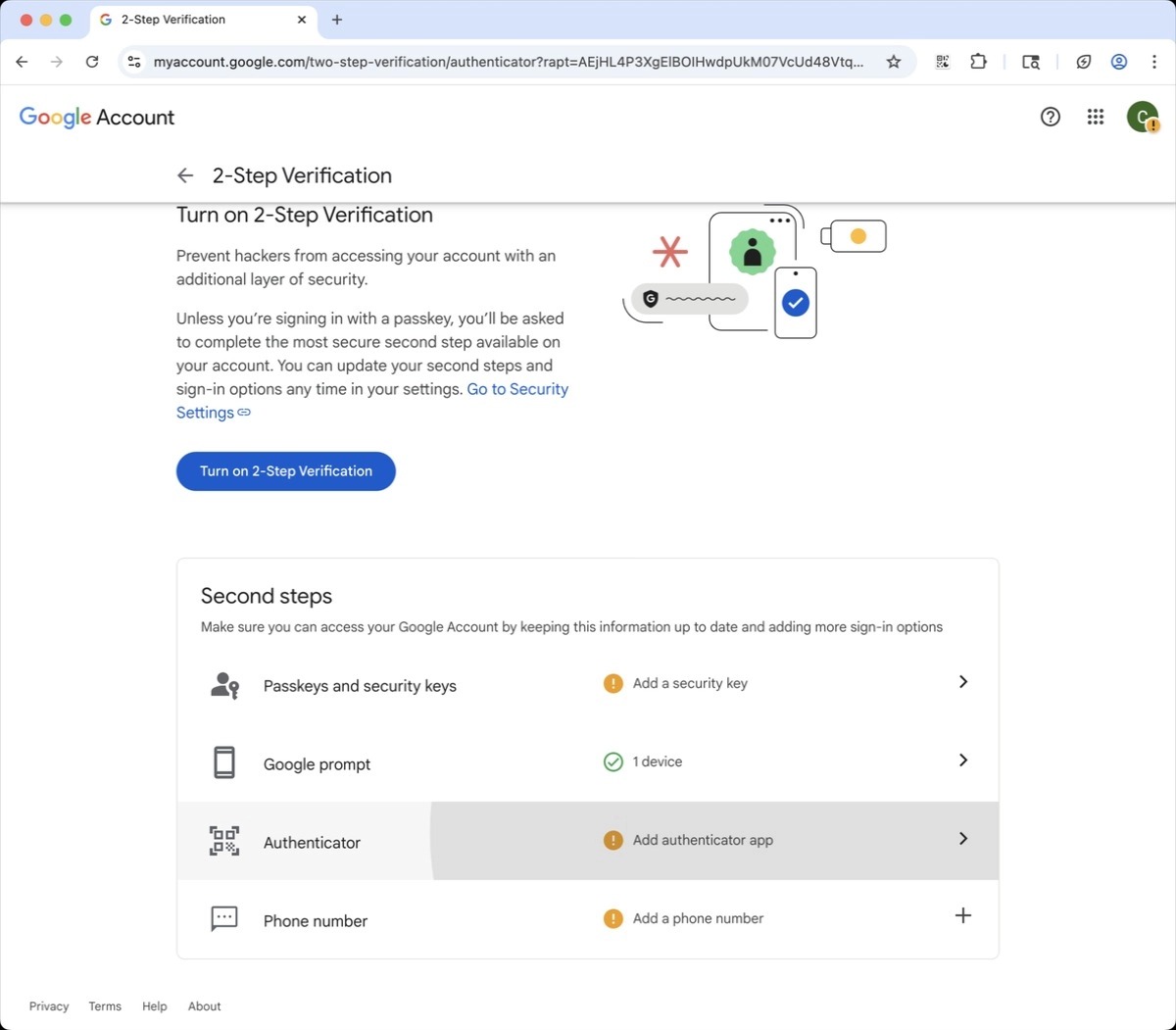 📷 Screenshot unavailable
 -
9Click Set Up Authenticator.
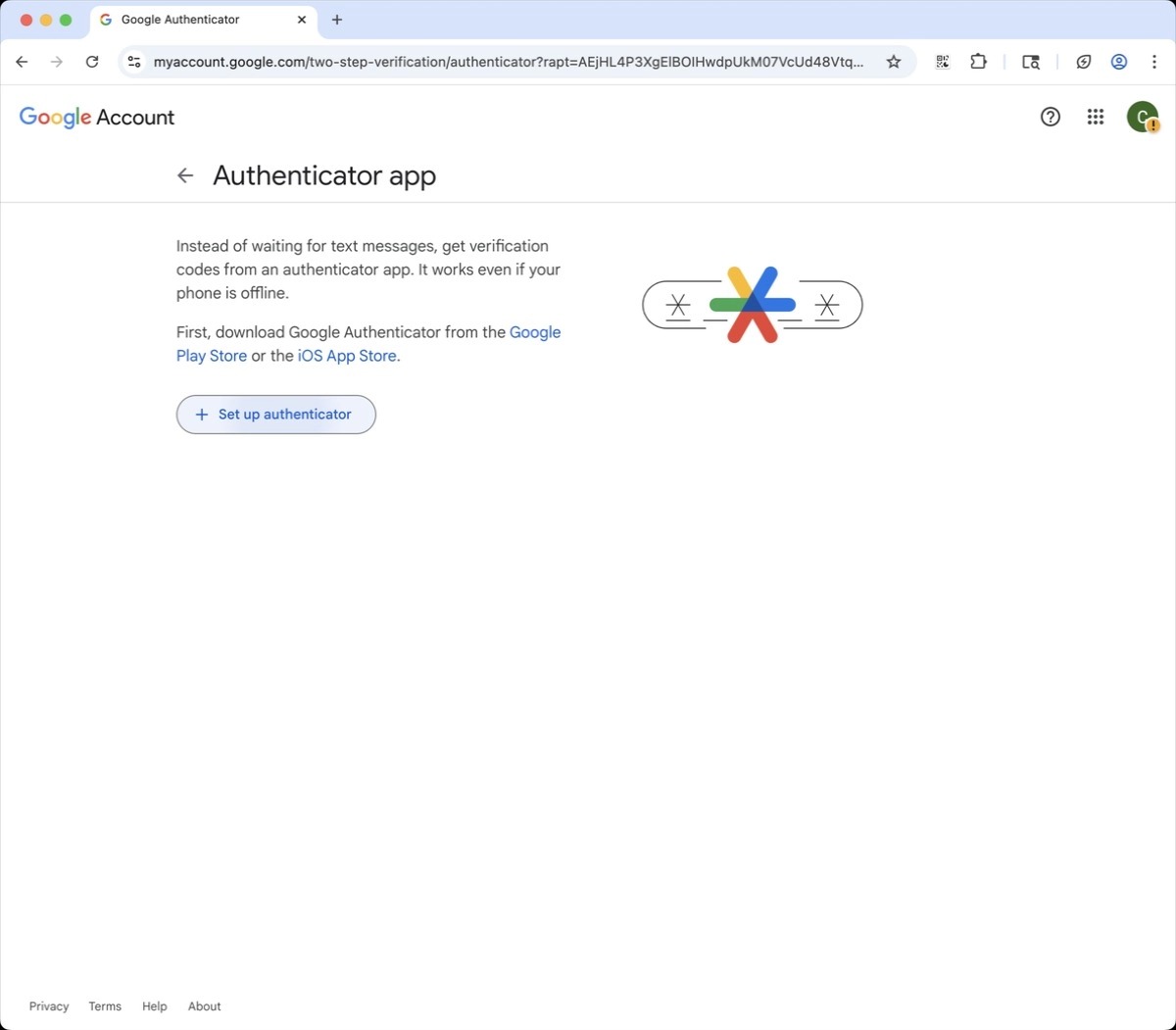 📷 Screenshot unavailable
 -
10A QR code appears in your browser.
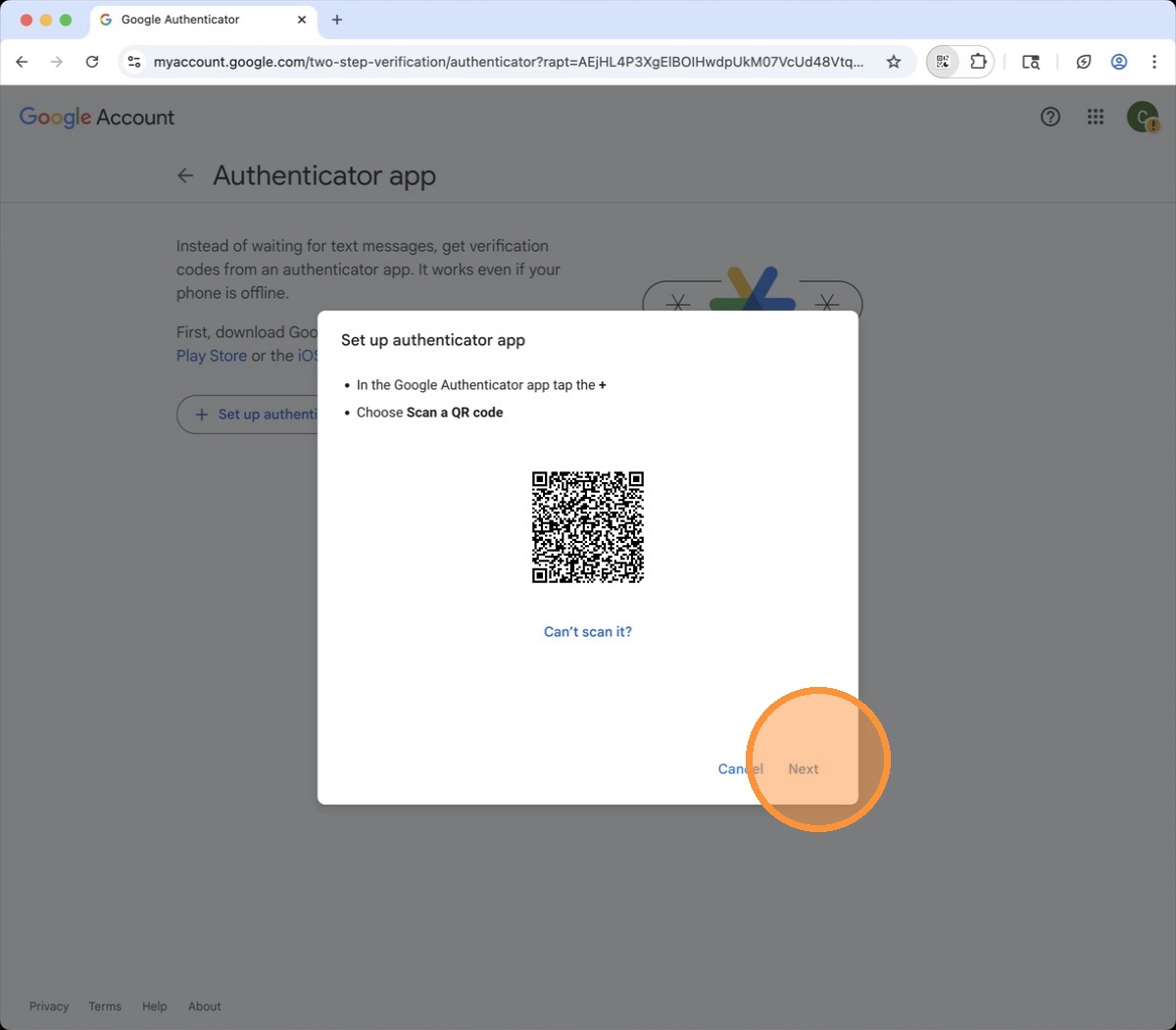 📷 Screenshot unavailable
 -
11Open Authenticator and tap Add a Code / the + icon.
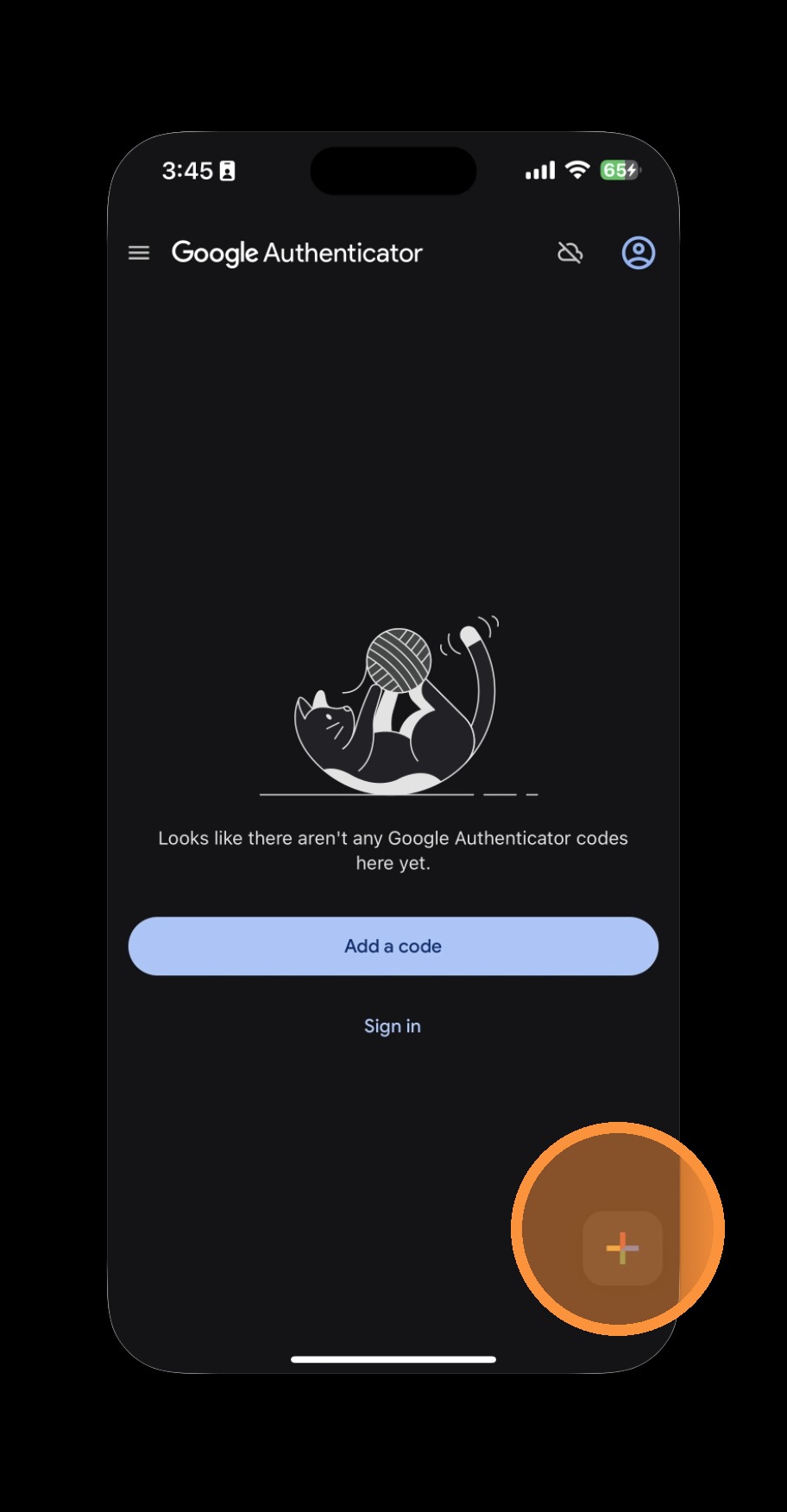 📷 Screenshot unavailable
 -
12Choose Scan a QR code.
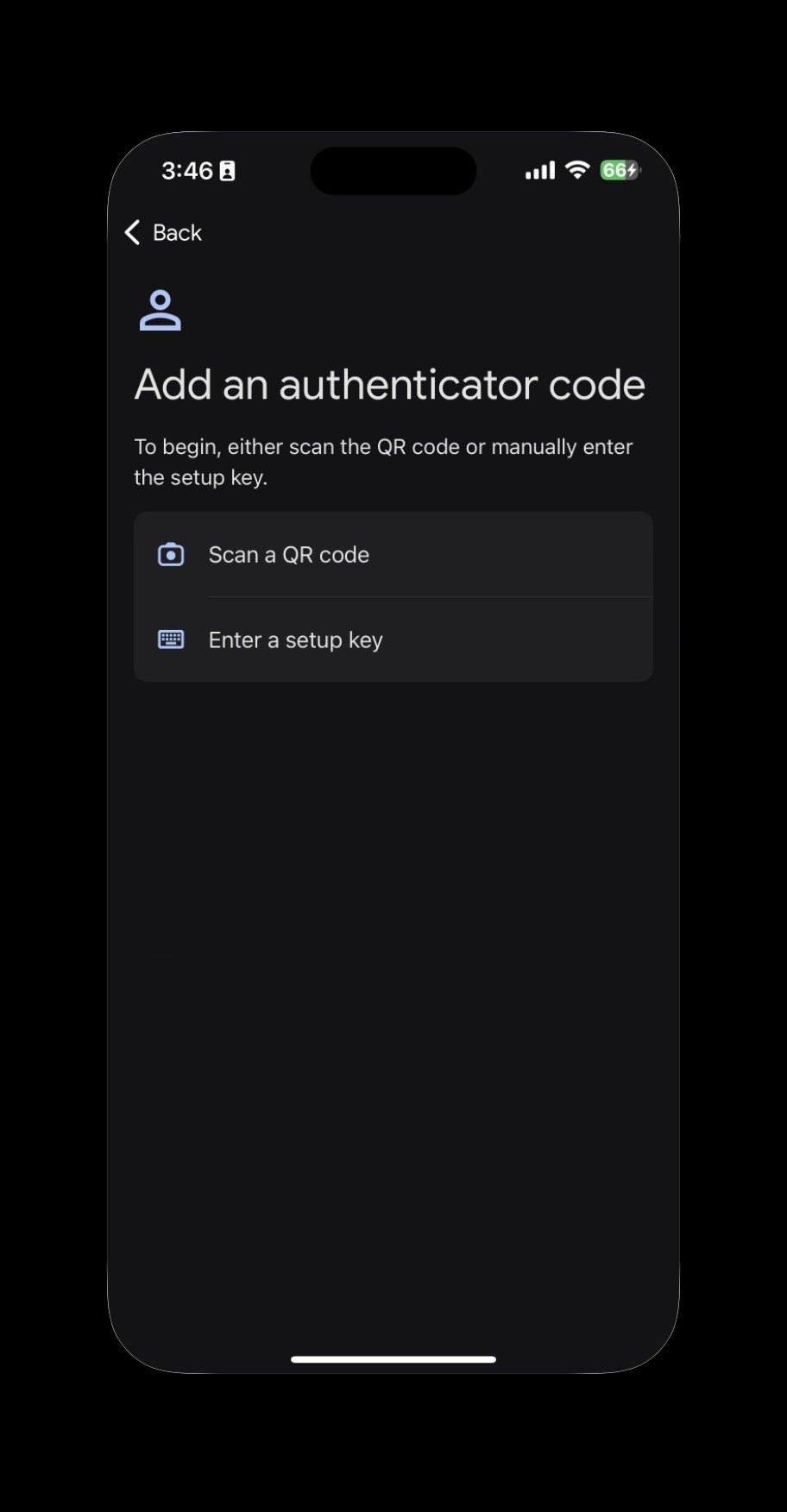 📷 Screenshot unavailable
 -
13Scan the code on your screen.
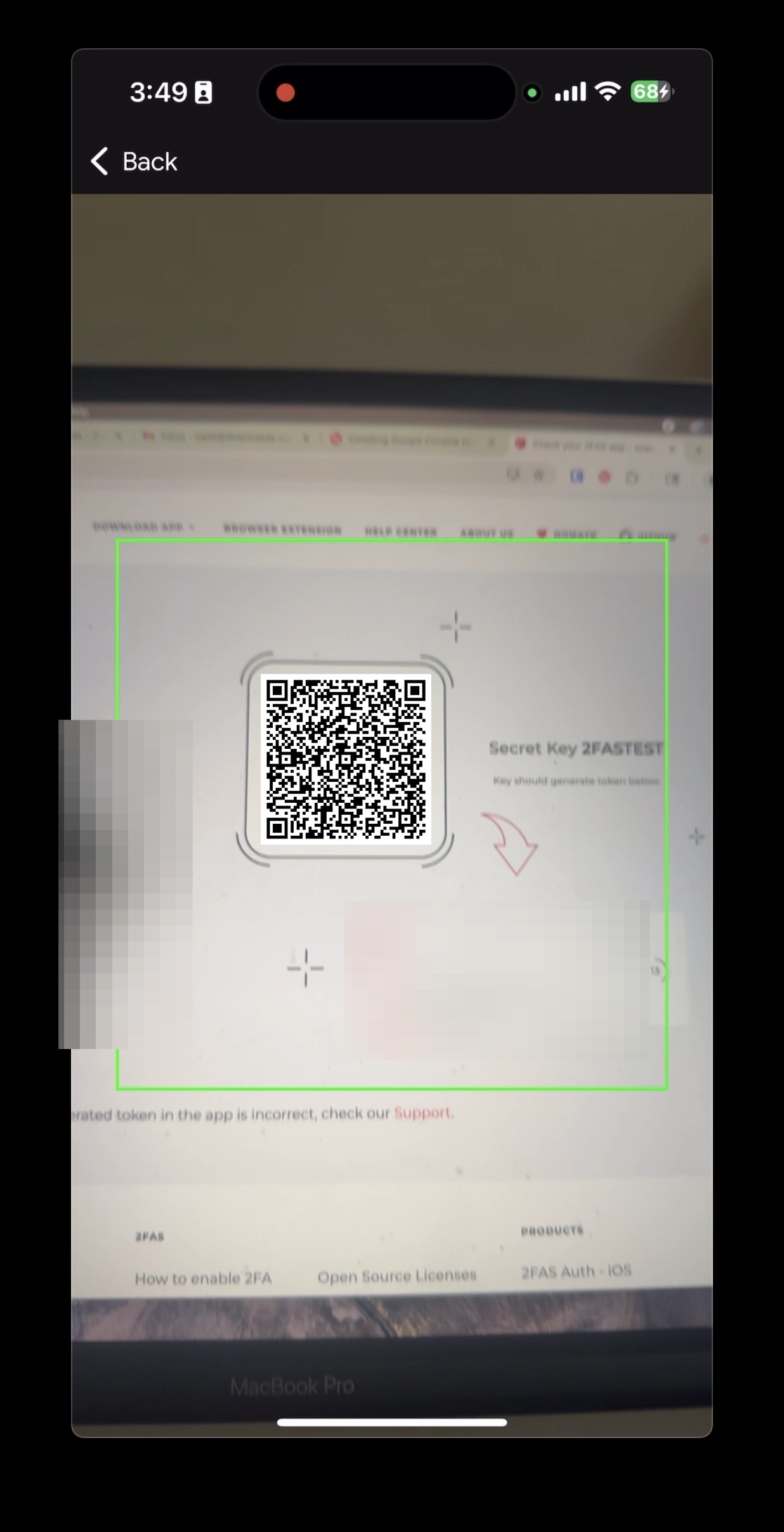 📷 Screenshot unavailable
 -
14Your Google account now appears in the app.
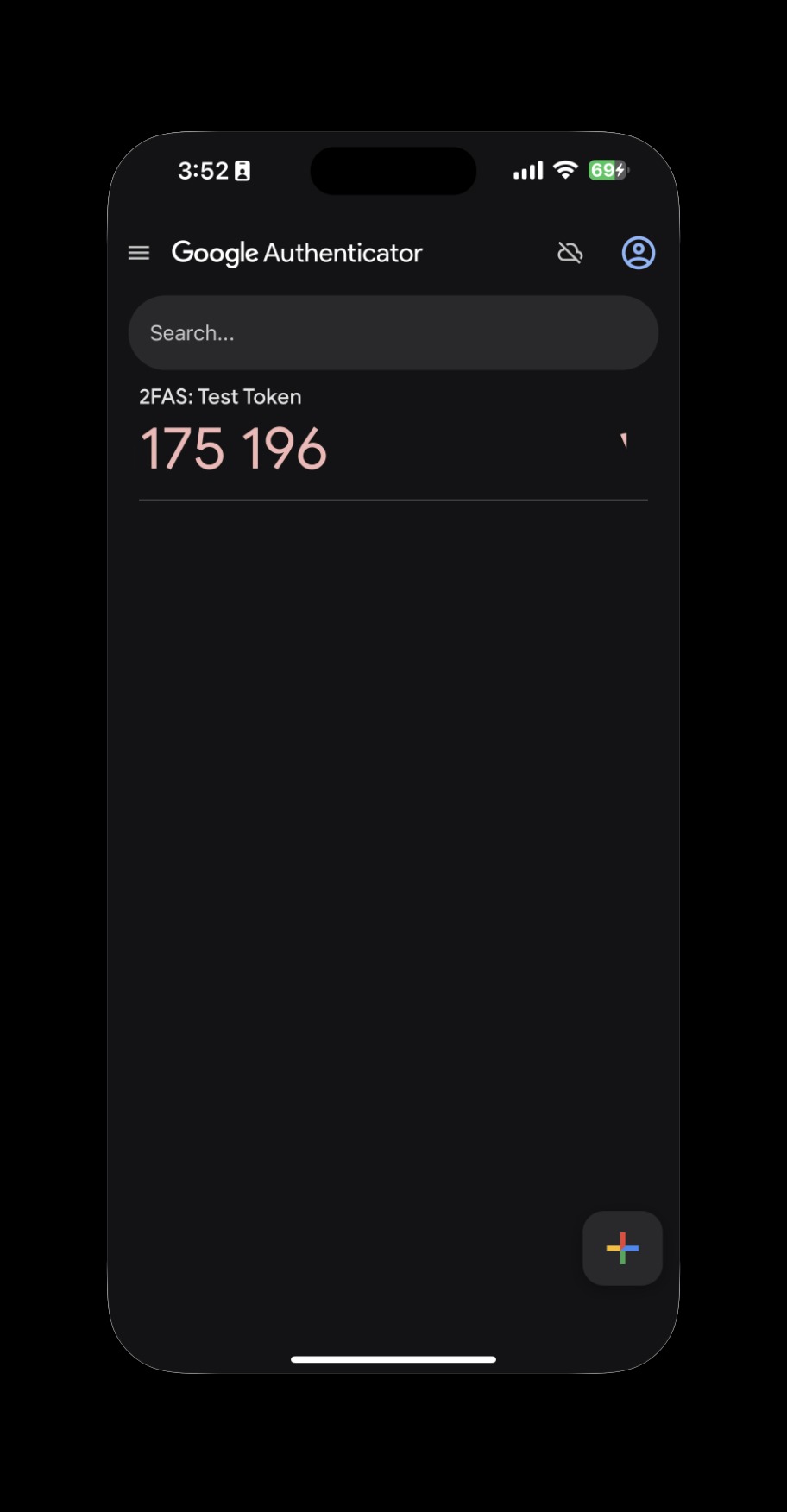 📷 Screenshot unavailable
 -
15Enter the six-digit code shown in your app (no spaces) and click Verify.
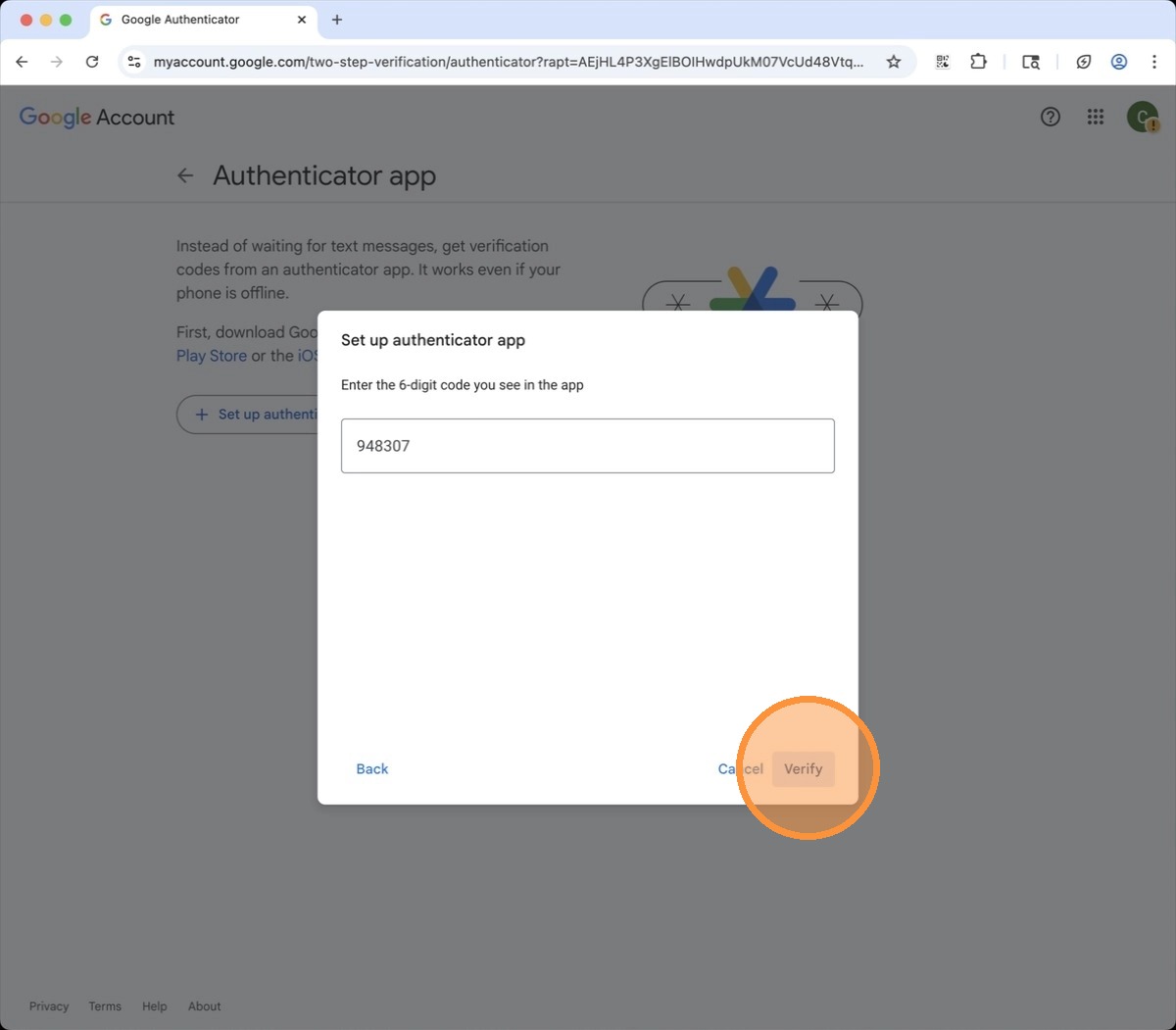 📷 Screenshot unavailable