
Activate Your MDI Account
You will enter an emailed verification code each time you sign in — that is expected.
-
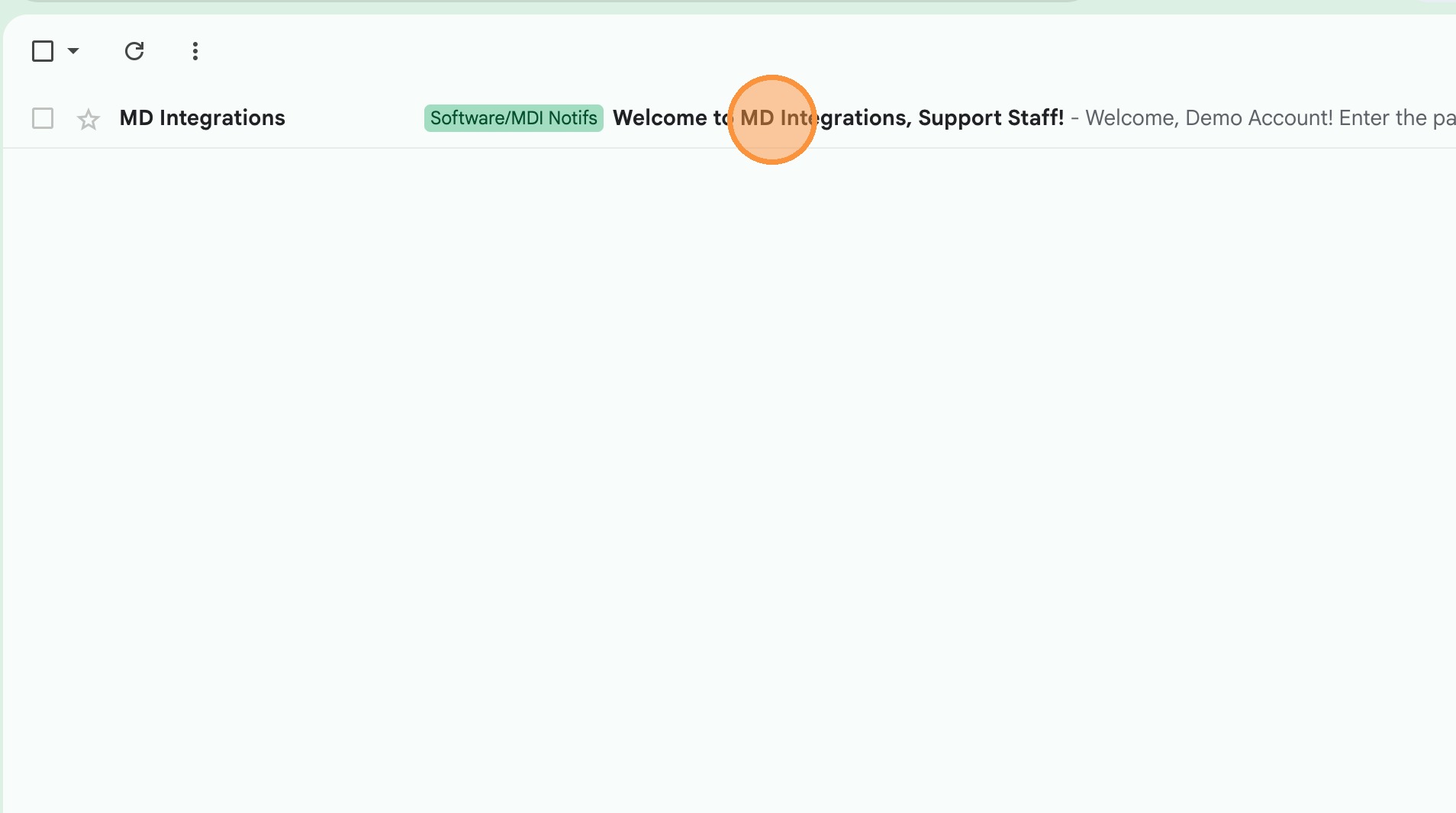
1Find the email "Welcome to MD Integrations, Support Staff!" from noreply@mdintegrations.com and open it.
 📷 Screenshot unavailable
 -
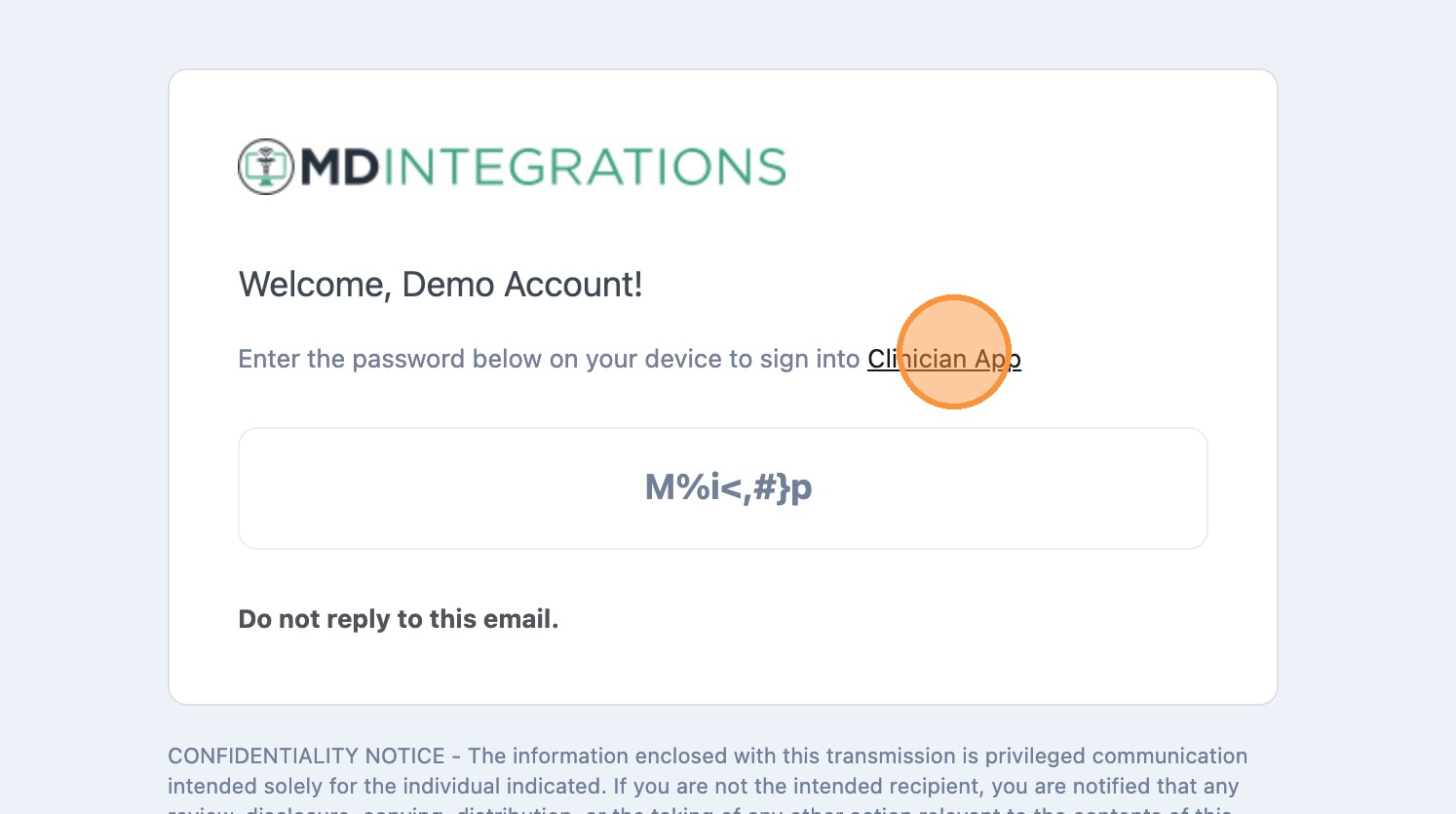
2Click the link in the email and copy the temporary password provided.
 📷 Screenshot unavailable
 -
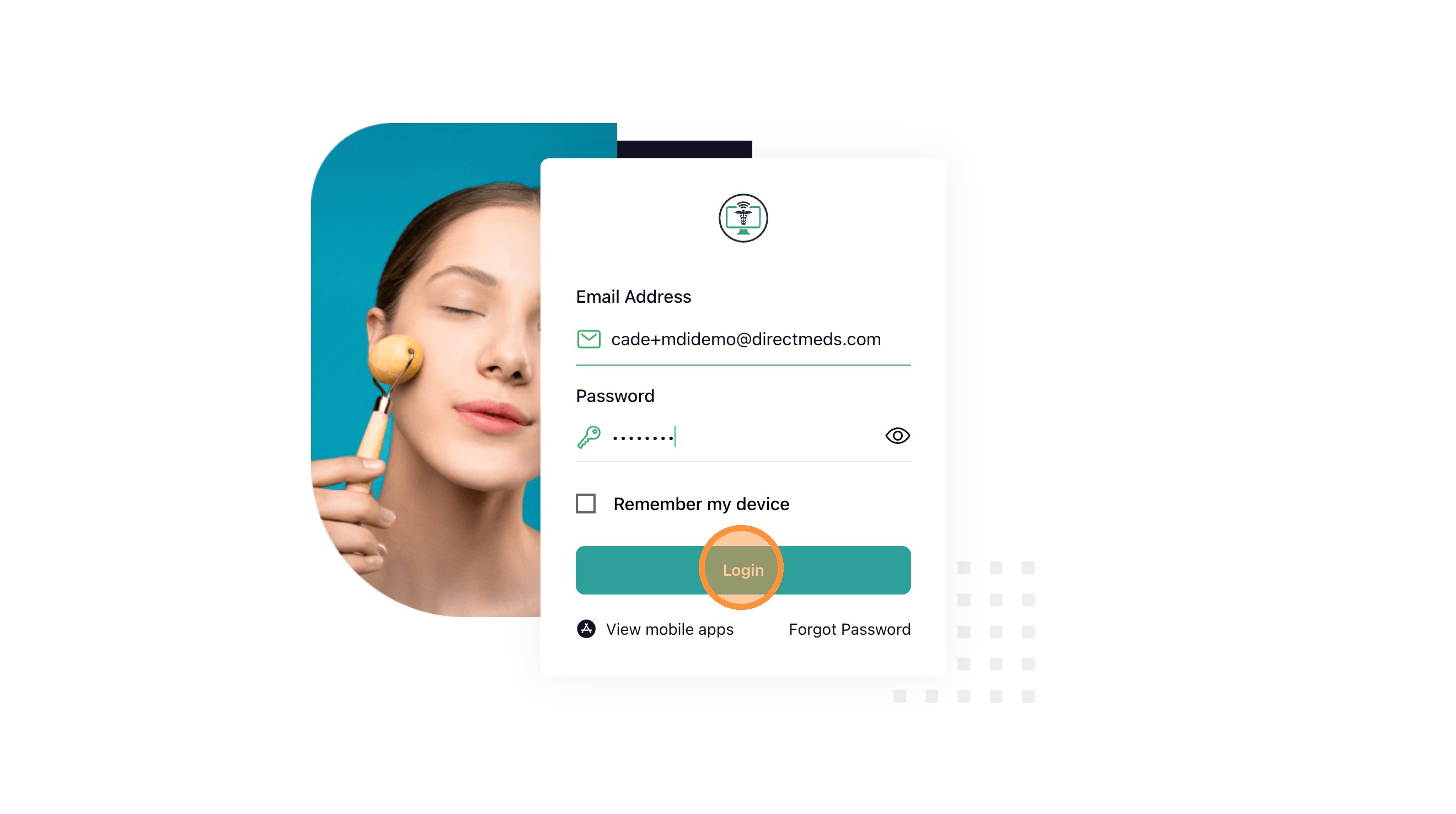
3At partners.mdintegrations.com/login, enter your work email and temporary password, then click Login.
 📷 Screenshot unavailable
 -
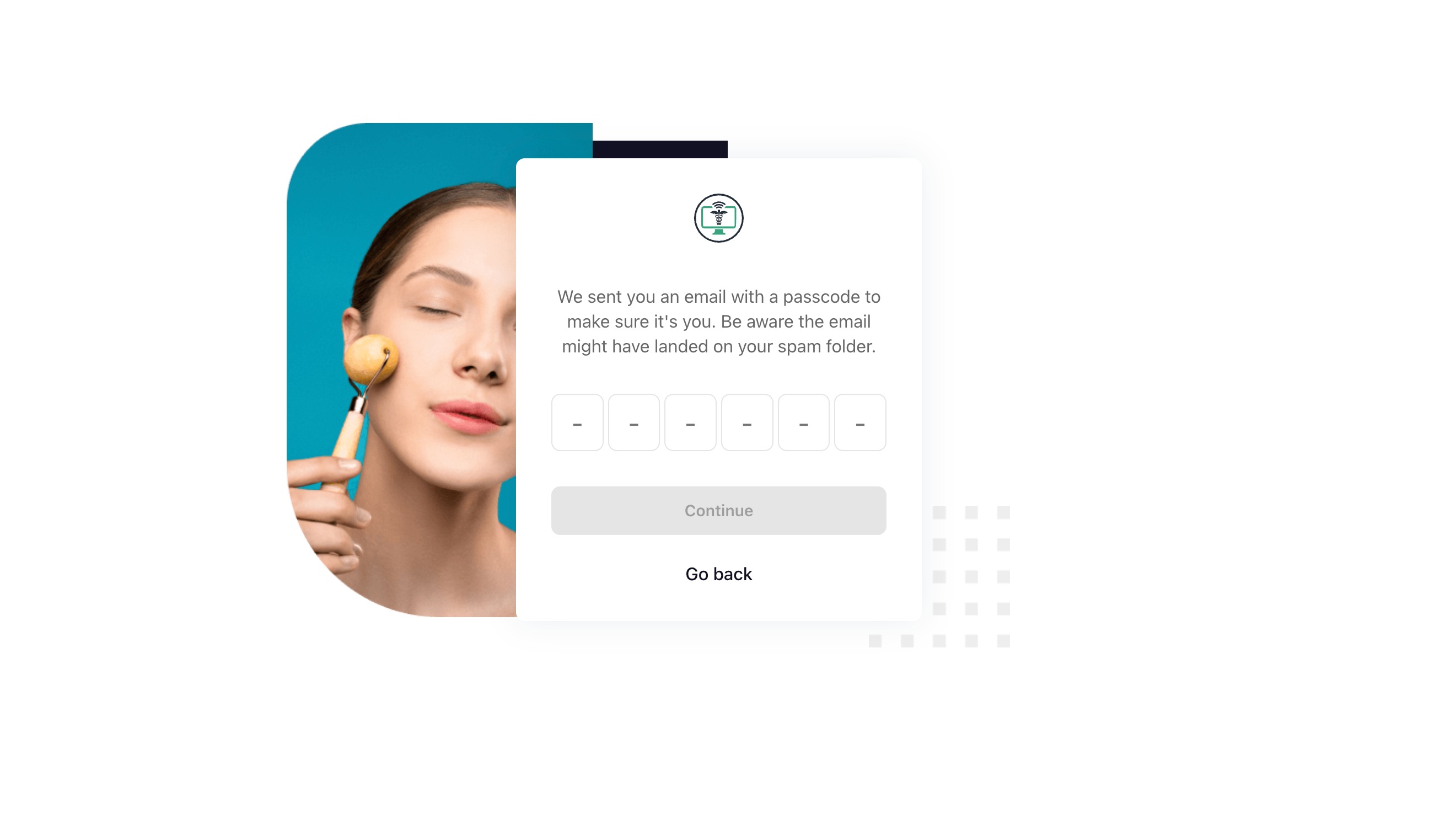
4The platform will tell you it sent a secure passcode to your email.
 📷 Screenshot unavailable
 -
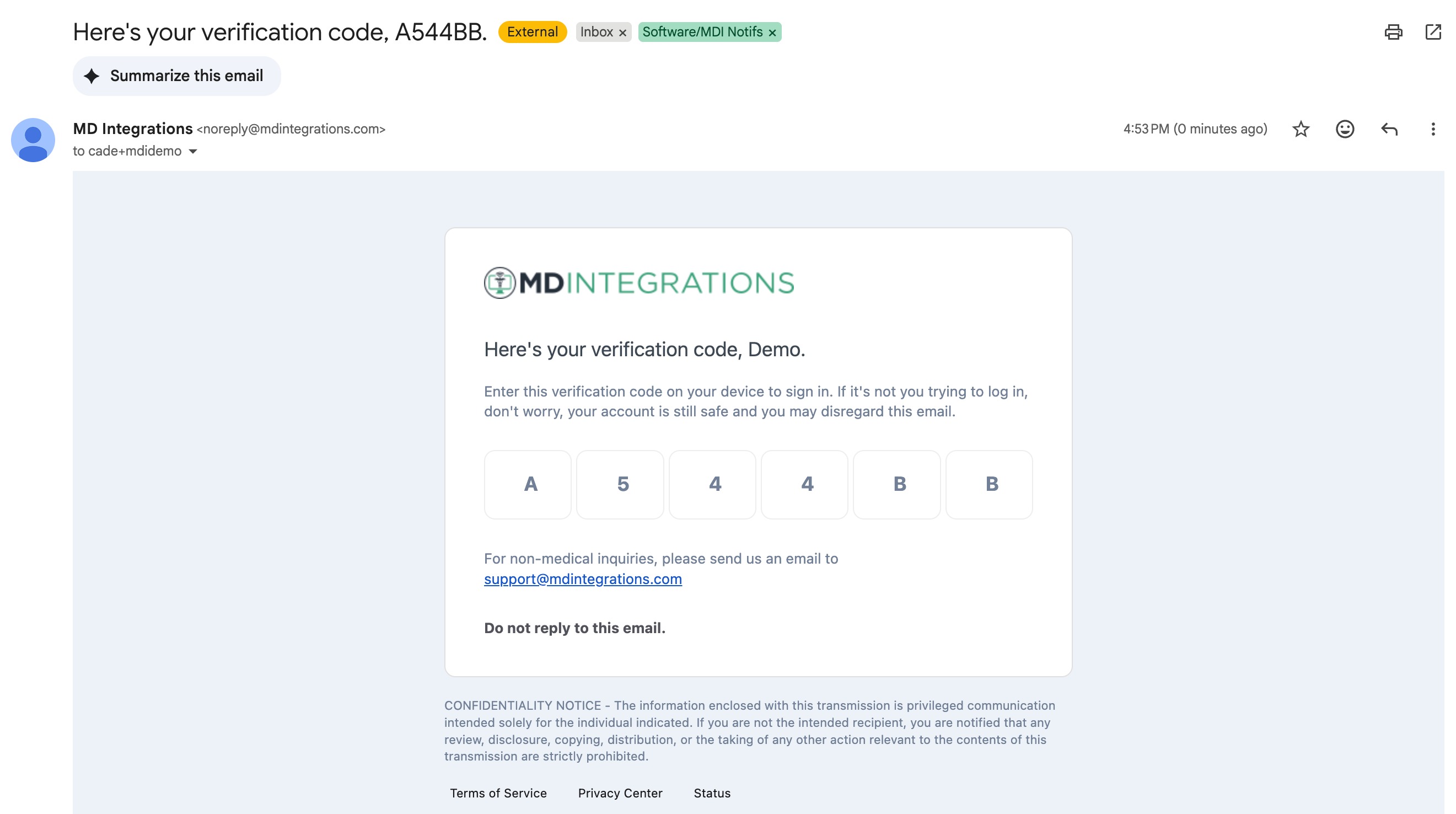
5Open that email, copy the code, and enter it. (After first activation you may be sent back to the sign-in screen — this is normal.)
 📷 Screenshot unavailable